
Helpful+ (Full Grass,Low Fire, Glowing Ores,Low Shield,Low Totem) PVP Essentials
Bedrock texture pack listed for Minecraft 1.21–26.x. File opened and checked on 20 Sep 2026; installs from the MC Bedrock Mods app on Android.
⬇ Download on CurseForge


This Pack Is Sponsord By UIA Host | Your Dream Host FREE+PAID HOSTING

⚔️ Helpful+ (All in One)
🟩 The Ultimate Minecraft Bedrock PvP Resource Pack
Improve your Minecraft Bedrock experience with a lightweight PvP-focused resource pack. Helpful+ combines essential combat improvements, better visibility, and clean textures into one complete pack.
Social Area


🌟 What is Helpful+?
Helpful+ is designed for players who want a cleaner and smoother PvP experience without changing the original Minecraft feel.
From reducing fire obstruction to making ores easier to find, every feature is created to improve gameplay.
✨ Features Showcase
🌿 Full Grass
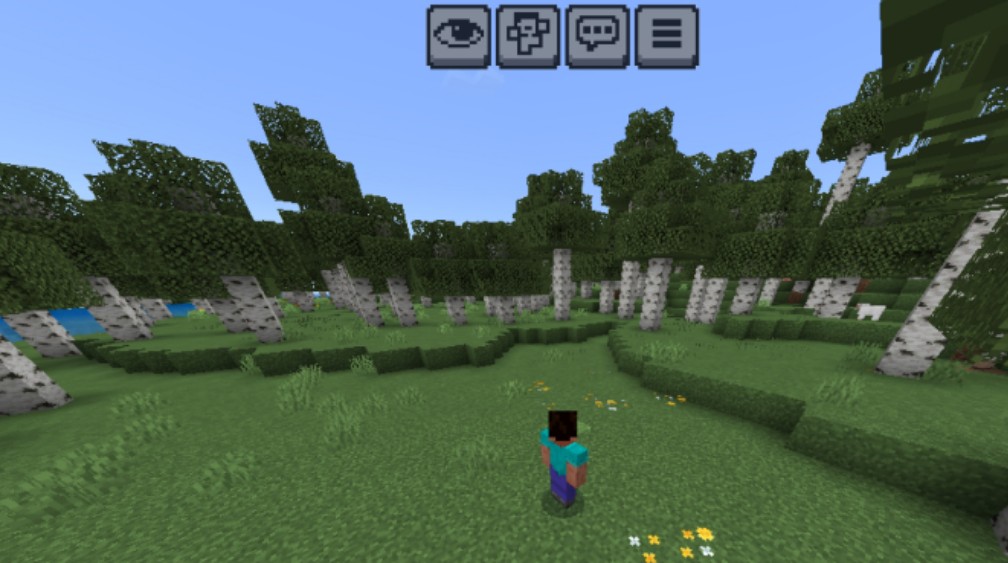
Experience a cleaner environment with fully green grass sides.
Benefits:
- 🌱 Better looking landscapes
- 🌱 Cleaner blocks
- 🌱 Smooth visual style
🔥 Low Fire
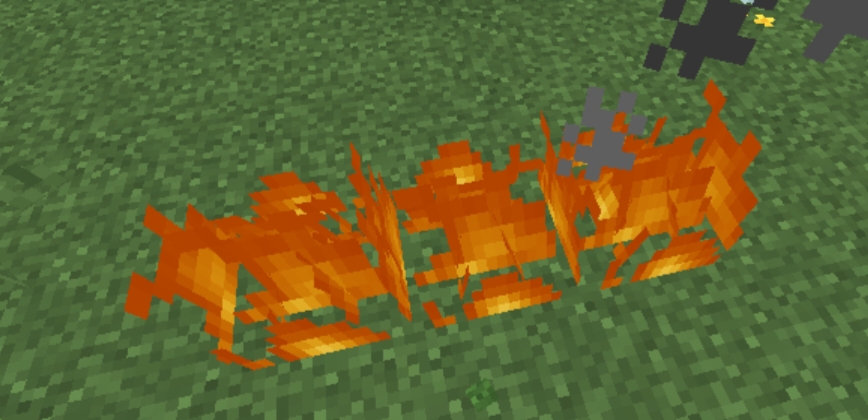
Fight without your screen being covered by flames.
Benefits:
- 🔥 Lower fire overlay
- 🔥 Better combat visibility
- 🔥 Easier PvP fights
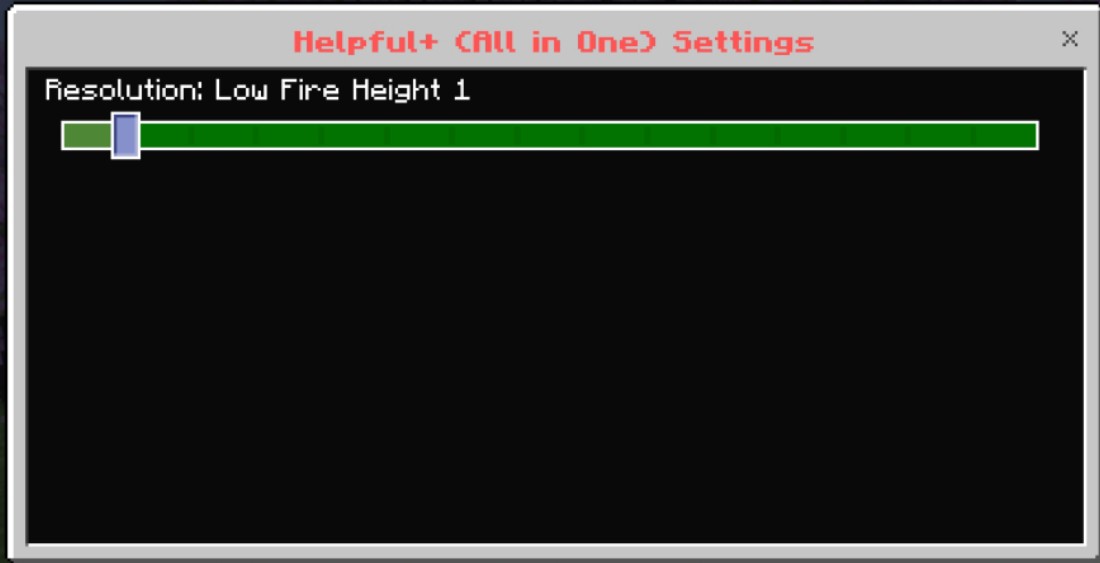
Keep It 9 For Best.
🛡️ Low Shield
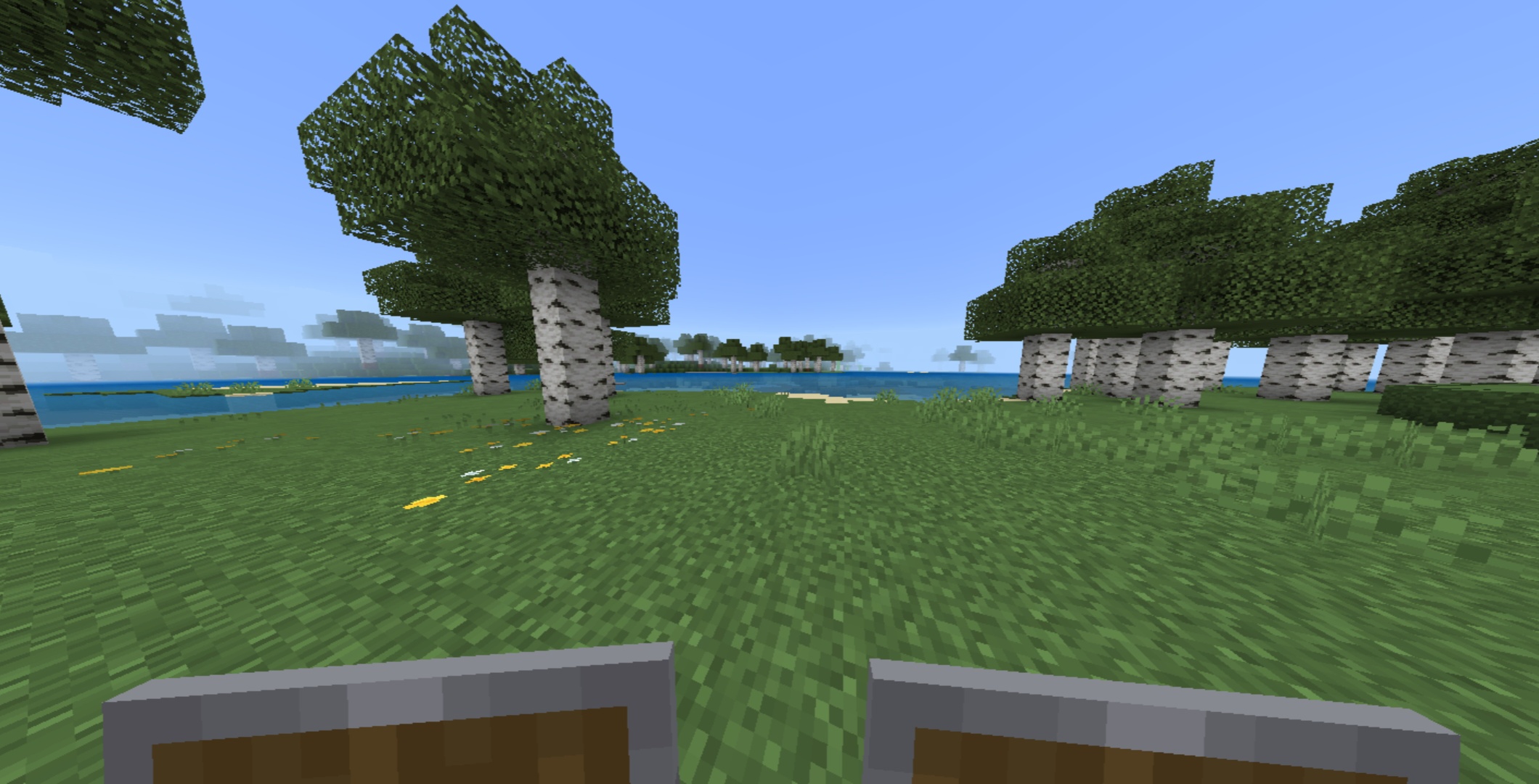
A smaller shield view for better vision while blocking.
Benefits:
- 🛡️ Less screen obstruction
- 🛡️ Cleaner first-person view
- 🛡️ Better awareness
💚 Low Totem
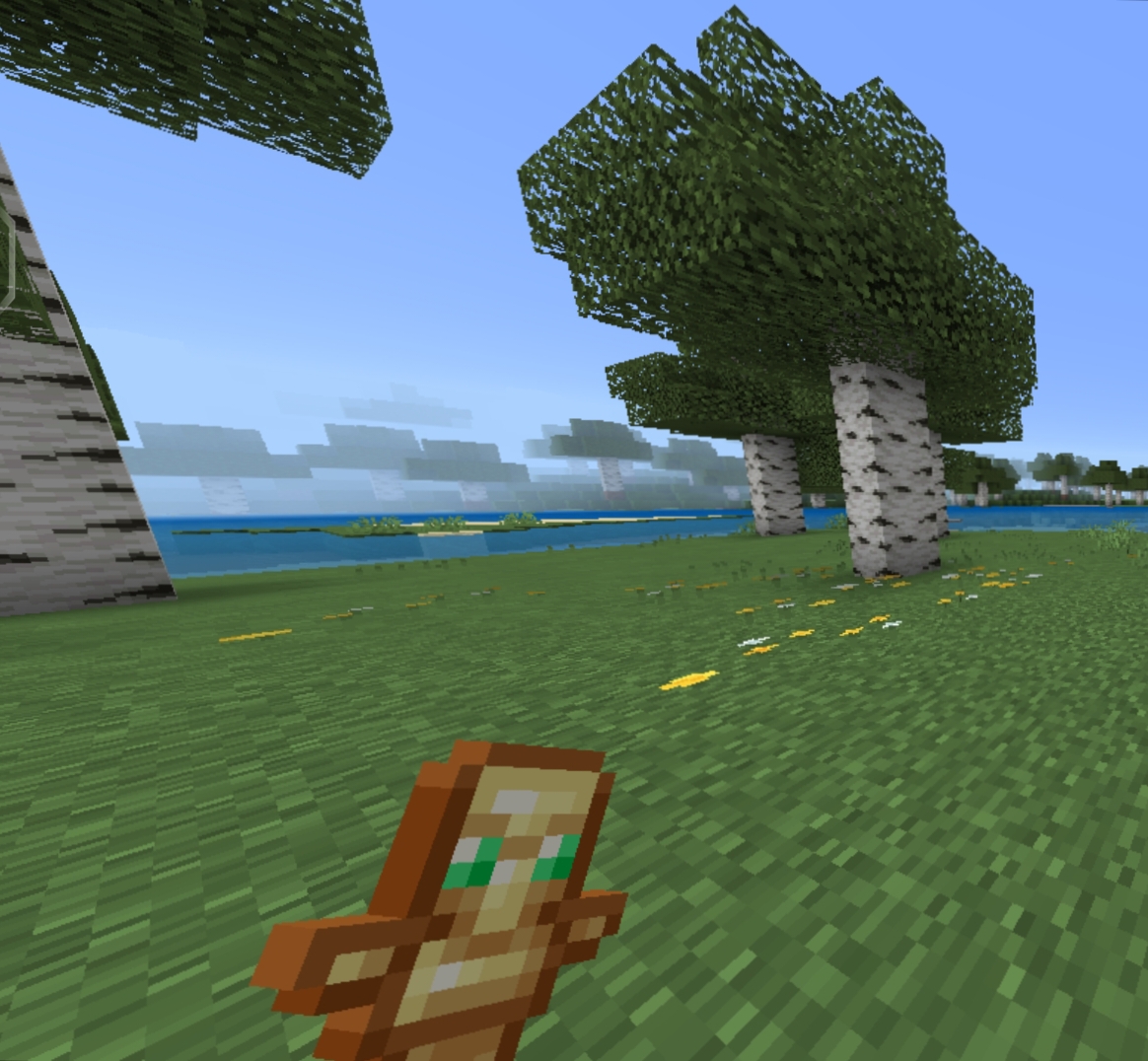
A compact Totem of Undying texture made for PvP.
Benefits:
- 💚 Cleaner HUD
- 💚 More visible surroundings
- 💚 Minimal design
💎 Outlined Ores
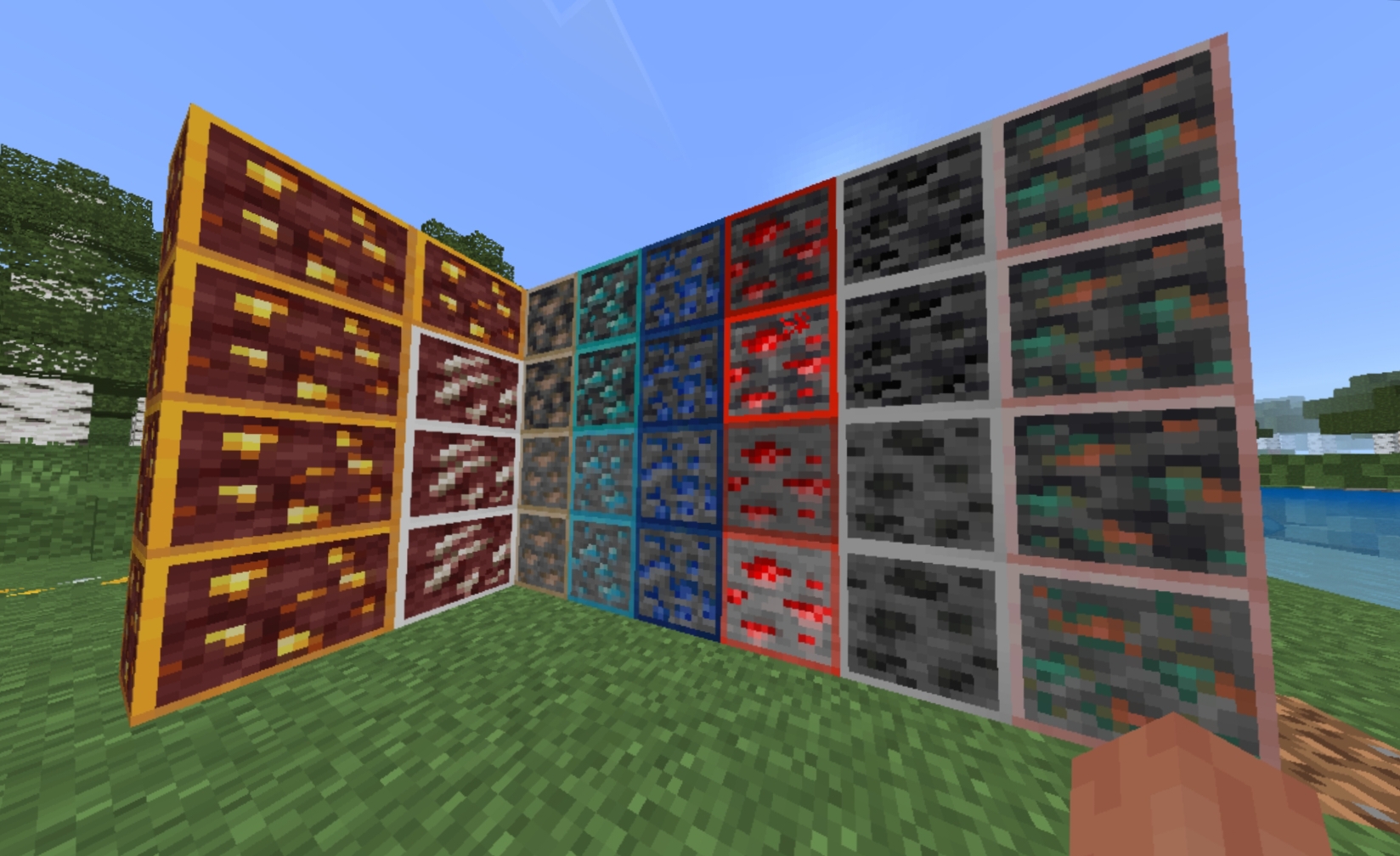
Find valuable resources faster with highlighted ore textures.
Benefits:
- 💎 Easy ore identification
- 💎 Better mining experience
- 💎 PvP and survival friendly
📦 Subpack System
Helpful+ includes built-in subpacks for customization.
| Subpack | Purpose |
|---|---|
| 🌟 All Features | Complete Helpful+ experience |
| 🔥 Fire Variants | Choose your preferred fire height |
| ⚔️ PvP Setup | Best settings for combat |
| ⛏️ Mining Setup | Better ore visibility |

🎮 Compatibility
| Platform | Supported |
|---|---|
| 📱 Android | ✅ |
| 💻 Windows | ✅ |
| 🍎 iOS | ✅ |
| 🎮 Console | ✅ |
🚀 Why Choose Helpful+?
✅ Lightweight textures
✅ PvP optimized
✅ Achievement friendly
✅ No gameplay changes
✅ Easy installation
✅ Customizable with subpacks
📥 Installation
- Download the
.mcpackfile. - Open it using Minecraft Bedrock.
- Wait for the import to complete.
- Go to:
Settings → Global Resources → Helpful+
- Activate the pack.
- Select your preferred subpack.
📋 Pack Information
| Detail | Information |
|---|---|
| 📦 Name | Helpful+ (All in One) |
| 🎮 Edition | Minecraft Bedrock |
| 📌 Type | Resource Pack |
| 🟢 Version | 1.21 - 26.20+ |
| 👤 Creator | PrabhatPie |
💚 Support
Like the pack?
⭐ Leave a rating
📤 Share it with friends
⚔️ Use Helpful+ in your PvP battles
⚔️ Helpful+
Better Vision • Better Combat • Better Experience
SPONSOR -
🌟 UIA HOST | YOUR DREAM HOST 🌟
━━━━━━━━━━━━━━━━━━━━━━━━━━━━━━━━━━━━━━━━━━━━
🧑💻 Developer Provider
🤖 DC Bot Hosting
⛏️ Minecraft Hosting
🖥️ VPS Hosting
💻 RDP Hosting
🌐 Domains Starting at ₹89
━━━━━━━━━━━━━━━━━━━━━━━━━━━━━━━━━━━━━━━━━━━━
🖼️ Featured Image:
💛 Fast • Reliable • Affordable ⚡ Premium Hosting Solutions for Everyone
🎉 Join Our Community Today! 🔗 https://discord.gg/yUcY7E7TwB
- Edition: Minecraft Bedrock
- File type: .mcpack
- Minecraft versions listed: 1.21.93, 1.21.101, 1.21.94
- How to install: Download the .mcpack. → Open it — Minecraft imports it under Resource Packs. → Activate it in Global Resources, or for one world under Resource Packs → Available.
- Where to get it: Opens on CurseForge — not every file is mirrored on our own servers.
Install steps are the general flow for this file type — How to install Minecraft Bedrock texture packs walks through it step by step.
- Pack type: .mcpack — a single pack
- Manifest requires Minecraft 1.26.21 or newer
- Complete pack — everything it depends on is inside the file
- Download size: 584 KB
- Download link checked 27 Oct 2026 — working
These come from our own check of the pack file, not from the source page.