![Quick Craft UI Mod: Revolutionize Crafting Speed [Achievement Friendly]](https://files.mcmodshub.com/img/curseforge/90780.png)
Quick Craft UI Mod: Revolutionize Crafting Speed [Achievement Friendly]
Bedrock texture pack listed for Minecraft 26.x. Download on the author's site.
Quick Craft UI speeds up crafting and stonecutting on Minecraft Bedrock/PE, enabling instant stack crafting and streamlined inventory for faster, smoother…
⬇ Download on CurseForge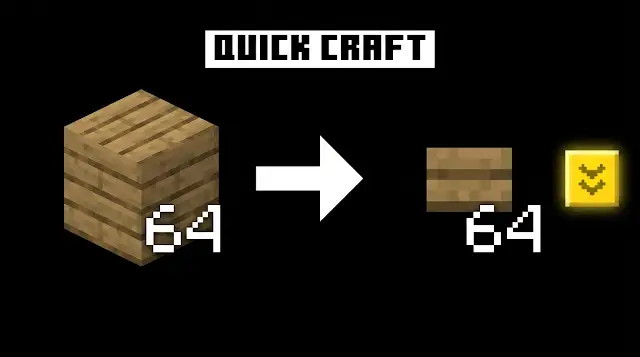
If you're a fan of Minecraft, especially the Pocket Edition or Bedrock version, you've definitely run into those tedious moments when trying to craft large quantities of resources. Constantly tapping the screen can be exhausting and a huge waste of time.
That's where the legendary Quick Craft mod comes in — the magic solution that completely reshapes the game's interfaces to give you blazing speed and unmatched smoothness.
What is the Quick Craft mod and how does it work?
Quick Craft isn't just a regular add-on — it's a smart re-engineering of the game's internal interfaces. The mod modifies the menu system to let players craft tools and cut stone blocks in the blink of an eye, with the fewest possible taps on the screen.
Top features of the Quick Craft mod for Minecraft interfaces
The mod brings major changes covering two core areas of the game:
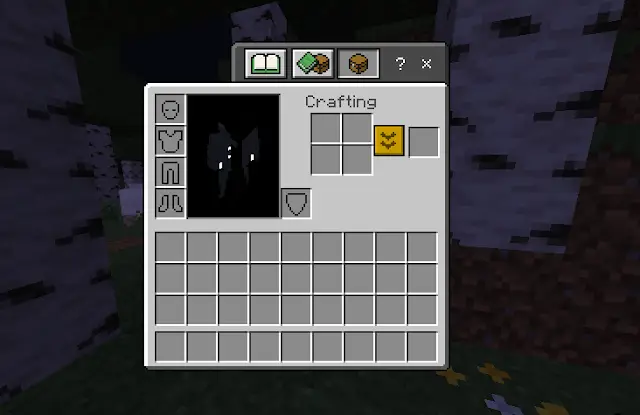
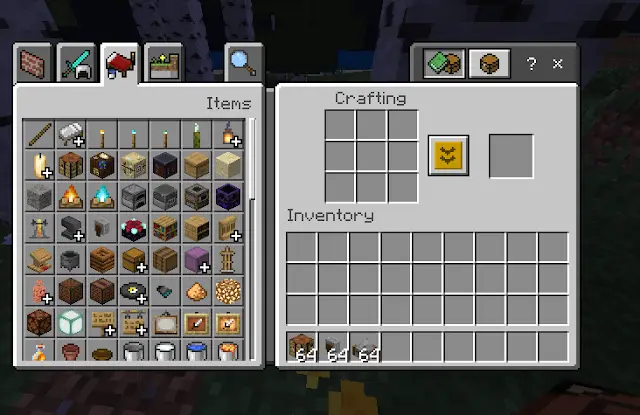
An upgraded inventory and crafting screen
Instead of manually dragging resources around and placing them into crafting slots, the mod adds smart options that let you craft everything you need in one go, straight from your inventory — whether you're playing on the classic interface or the regular mobile interface.
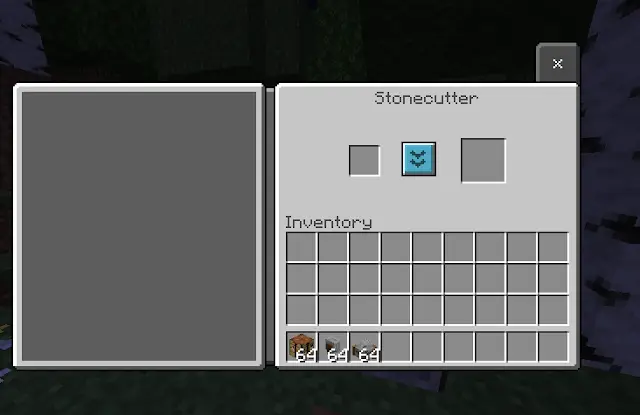
Faster Stonecutter
Turning blocks into stairs or walls using the stonecutter has never been faster. You can now convert hundreds of blocks with a single button press, instead of repeating the same tedious process dozens of times.
Why should you download this mod right now?
- Better performance and hand comfort: cuts repetitive touchscreen tapping by 80% on mobile.
- Fully compatible with mobile versions: the interfaces were specifically designed to fit small phone screens, making buttons more responsive and easier to control.
- Perfect for Survival players: saves your precious time so you can focus on building, exploring, and fighting mobs instead of wasting it on clunky game menus.
How to install the mod and enjoy the experience
The installation process is extremely simple; all you need to do is download the mod file and enable it as a Resource Pack from your global game settings, and the game will automatically replace the default interfaces with Quick Craft's upgraded, exciting ones.
Don't wait any longer — change the way you play today and make your Minecraft experience smarter and faster with the amazing Quick Craft mod!
Compatibility & Requirements
- Minecraft Bedrock / Pocket Edition
- Install as a Resource Pack via Global Game Settings
- Designed for mobile/touchscreen interfaces — ideal for phones and tablets
- Edition: Minecraft Bedrock
- File type: .mcpack
- Minecraft versions listed: 26.0.02, 26.0, 26.3
- How to install: Download the .mcpack. → Open it — Minecraft imports it under Resource Packs. → Activate it in Global Resources, or for one world under Resource Packs → Available.
- Where to get it: Opens on CurseForge — not every file is mirrored on our own servers.
Install steps are the general flow for this file type — How to install Minecraft Bedrock texture packs walks through it step by step.
Quick Craft UI Mod: Revolutionize Crafting Speed [Achievement Friendly] is a free Minecraft Bedrock texture pack. Compatible with Minecraft 26.0.02, 26.0, 26.3, 26.10 and newer. Downloaded 2,457 times (via CurseForge). Download it and open it directly in the game.