MapsBedrock
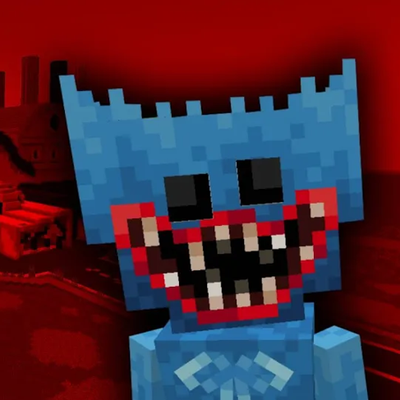
POPPY PLAYTIME EN MINECRAFT (CAPITULO 1)
🇺🇸 Ready to relive Poppy Playtime Ch. 1 like never before? Enter the famous toy factory, recreated block by block. 🇪🇸 ¿Listo para revivir Poppy…
⬇ Download


What's in the map?
- GrabPack Puzzles: You will have to rack your brain solving the factory's riddles using mechanics inspired by the colored hands.
- Horror Atmosphere: Everything is dark, with tight corridors and a heavy environment so you can truly feel the tension of being trapped inside.
Map Rules (Read before playing):
- Adventure Mode: Using creative mode or breaking blocks is strictly forbidden.
- Audio: Set the in-game music to 0% (this is key to properly hearing the map's custom ambiance).
- Controls: Disable auto-jump in your settings.
- Textures: Make sure to enable all resource and behavior packs so nothing bugs out.
- Credits: If you are going to record a video or share it on your social media, please leave the proper credits for the map.
Enjoy the map and get ready for a good scare!
¿Qué hay en el mapa?
- Puzles con el GrabPack: Vas a tener que romperte la cabeza un rato resolviendo los acertijos de la fábrica usando mecánicas inspiradas en las manos de colores.
- Atmósfera de terror: Todo está oscuro, con pasillos cerrados y un ambiente pesado para que de verdad sientas la tensión de estar atrapado ahí dentro.
Reglas del mapa (Léelas antes de jugar):
- Modo Aventura: Está prohibido usar el modo creativo o romper bloques.
- Sonido: Pon la música del juego al 0% (es clave para que se escuche bien el ambiente del mapa).
- Controles: Desactiva el salto automático en los ajustes.
- Texturas: Asegúrate de activar todos los recursos y packs del mapa para que no se buguee nada.
- Créditos: Si vas a grabar un video o subirlo a tus redes, por favor deja los créditos del mapa.
- ¡A disfrutar y a meterse un buen susto!
🇺🇸 Required: Use the Poppy Playtime 1.0.7 Addon.
🇪🇸 Obligatorio: Usar el Addon Poppy Playtime 1.0.7.
Quick facts
- Edition: Minecraft Bedrock
- File type: .mcworld
- Minecraft version listed: 26.30
- How to install: Download the .mcworld file. → Open it — Minecraft imports it as a new world. → Find it in your Worlds list and play.
- Where to get it: In MCModsHub, or directly above on this page.
Install steps are the general flow for this file type — How to install Minecraft Bedrock maps walks through it step by step.
Verified by MCModsHub
- Pack type: .mcworld — a ready-made world
- Complete pack — everything it depends on is inside the file
- Download size: 8.4 MB
- Download link checked 26 Aug 2026 — working
These come from our own check of the pack file, not from the source page.