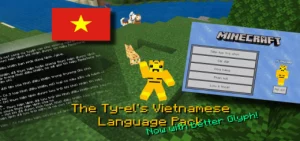
How to Install The Ty-el's Vietnamese Language Pack v1.5.9
Minecraft Bedrock texture pack. Download on the author's site.
A Vietnamese who loves playing Minecraft game but don't understand English? It may be a barrier to making players not reach full experience in-game. You…
⬇ Download

A Vietnamese who loves playing Minecraft game but don’t understand English? It may be a barrier to making players not reach full experience in-game. You are on the right way!!! The Ty-el’s Vietnamese Language Pack will not make you worry about English anymore (even match Java version of Minecraft).
More credits:
@tlgm2308 (Twitter), @fromgate (Twitter) (download original Minecraft Unicode font pack, remade), @CrisXolt (VDX UI translation supports)
How to Install The Ty-el’s Vietnamese Language Pack
After download .mcpack, follow this struction:
- iOS: press Open in Minecraft (or press More… and choose Minecraft)
- Windows 10 click the .mcpack file to install to Minecraft
- Android: the .mcpack file can be one-tap-install via an explorer app that supports .mcpack file.
Then Open Minecraft game –> Go to Settings > Go to Global Resources > Choose Vietnamese Pack. And Activate it
Optional: Press the Pack Settings button to change font you want (scroll this page up a little bit to see instructions how to change font).
IMPORTANT!! Restart Minecraft!!
Finally, Go to Settings again > Language > Choose Tiếng Việt (Việt Nam).
How to install Zip: (for Windows and Android)
Android:
Make sure you changed File Storage Location to External to be able to install Zip.

- Download the “zip” file (Or if zip file doesn’t appear, download Mcpack file and change the file format to zip by renaming it)
- Put the zip file into your Minecraft resource packs folder:
- Android (pre-1.18): /storage/emulated/0/games/com.mojang/resource_packs/
- Android (1.18 and later): /storage/emulated/0/Android/data/com.mojang.minecraftpe/files/games/com.mojang/resource_packs/
- Windows: %localappdata%\Packages\Microsoft.MinecraftUWP_8wekyb3d8bbwe\LocalState\games\com.mojang\resource_packs\
(Type %localappdata% in Run window ([Windows Key] + R) or on Address Bar in File Explorer)
- Optional: Unzip and delete the zip file.
- Open Minecraft > Settings > Go to Global Resources > Choose Vietnamese Pack and Activate it.
- Optional: Press the Pack Settings button to change font you want (scroll this page up a little bit to see instructions how to change font).
- IMPORTANT!! Restart Minecraft!!
- Go to Settings again > Language > Choose Tiếng Việt (Việt Nam).
Notice: Everytime you activate or change subpacks, make sure you restart the game to avoid some font bugs or didn’t change font.

Tyel Vietnamese v1.5.9.mcpack
Tyel Vietnamese v1.5.9.zip
Tyel_Vietnamese_VDX_UI_Patch_v1.2.0.mcpack
Features The Ty-el’s Vietnamese Language Pack
10,000+ of translatable translate keys in this pack. Most of translated and matches with Minecraft Java version of Minecraft Vietnamese (over 95% accurate).
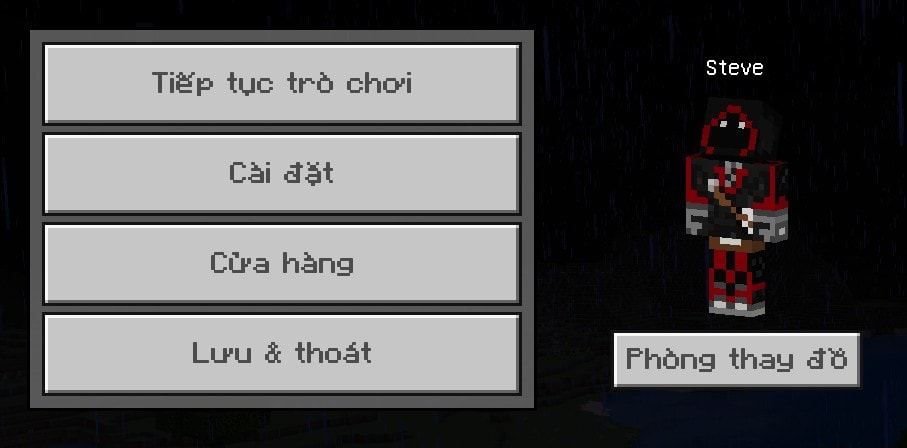
Start Screen
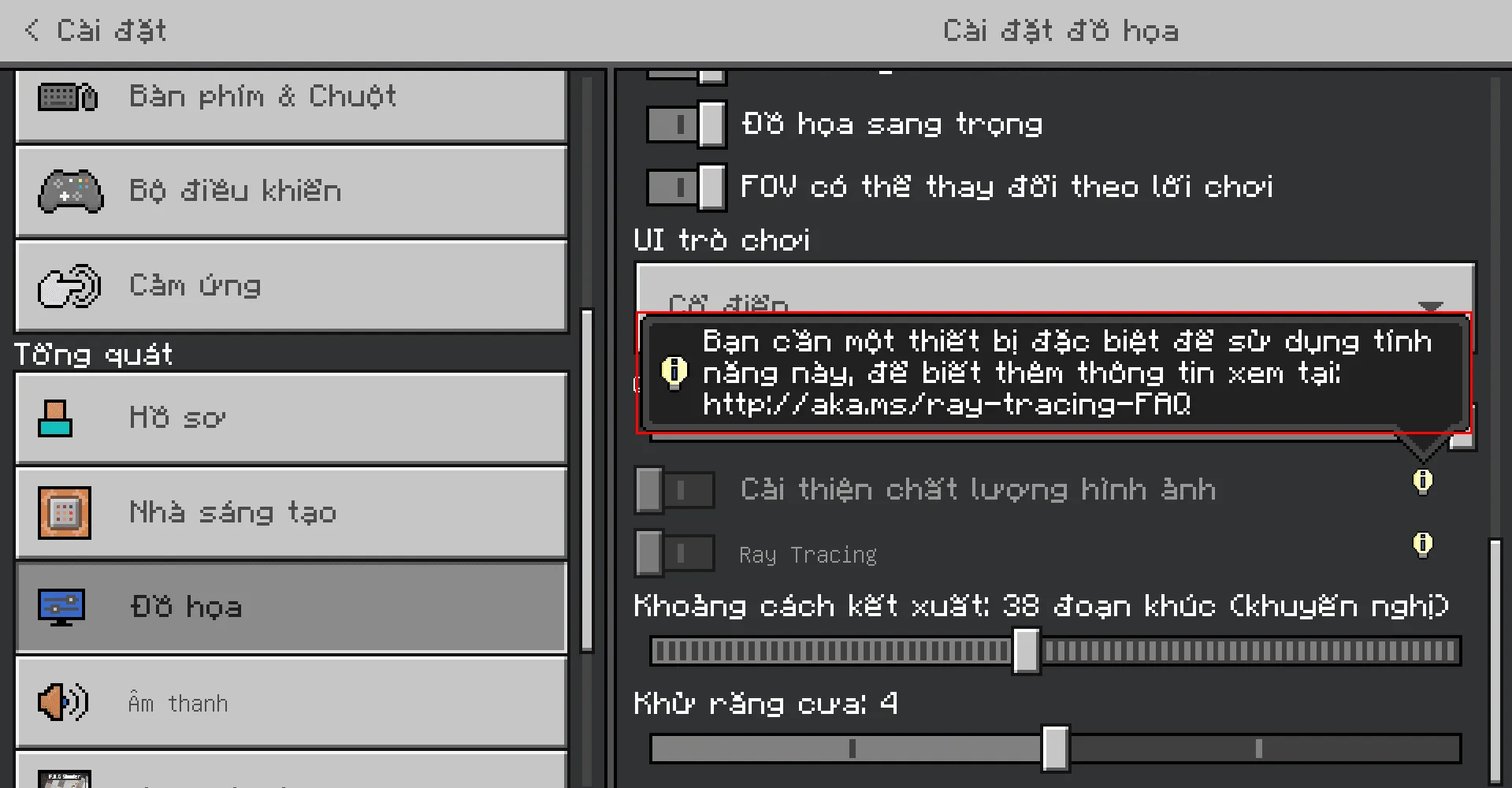
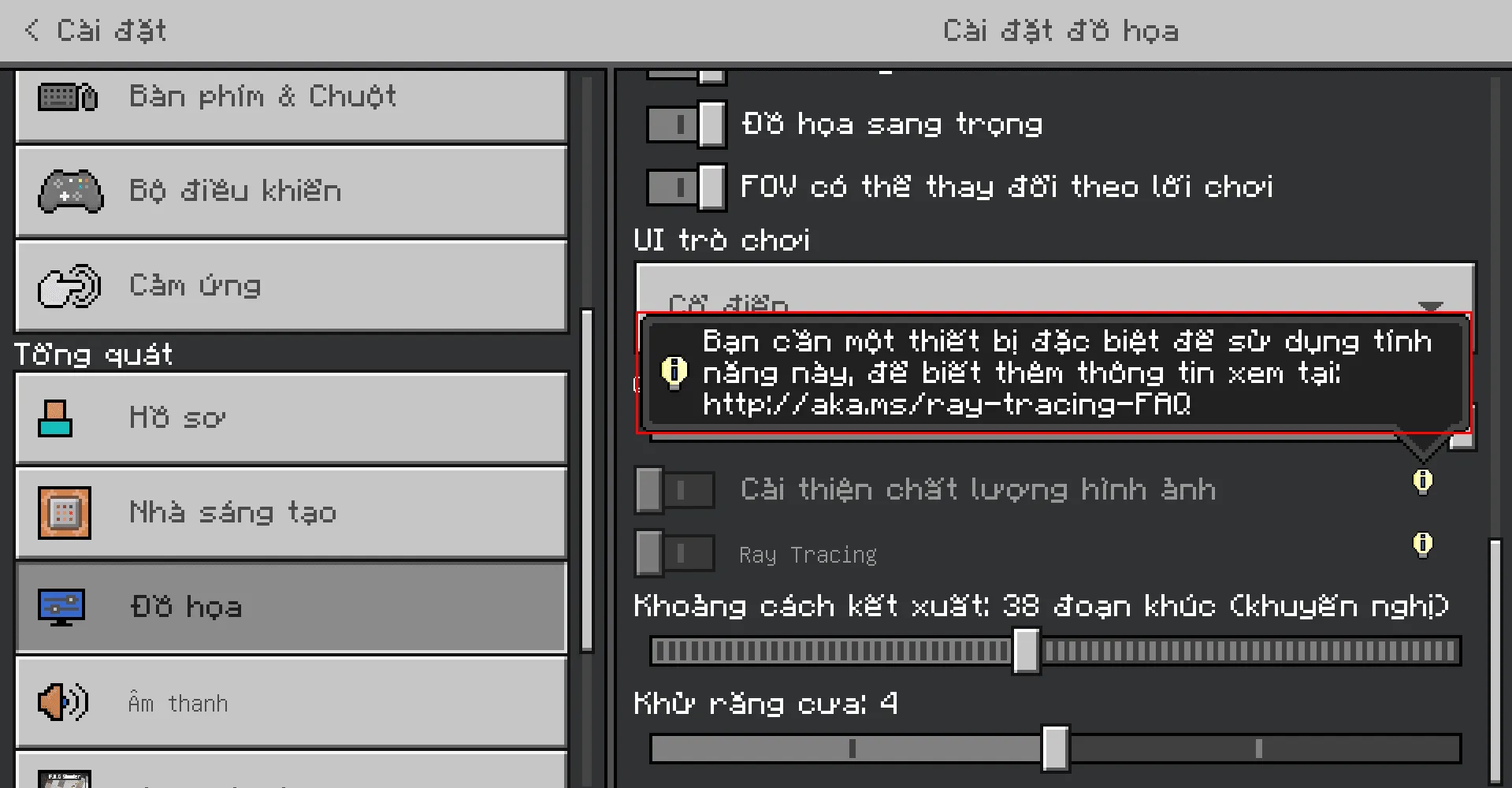
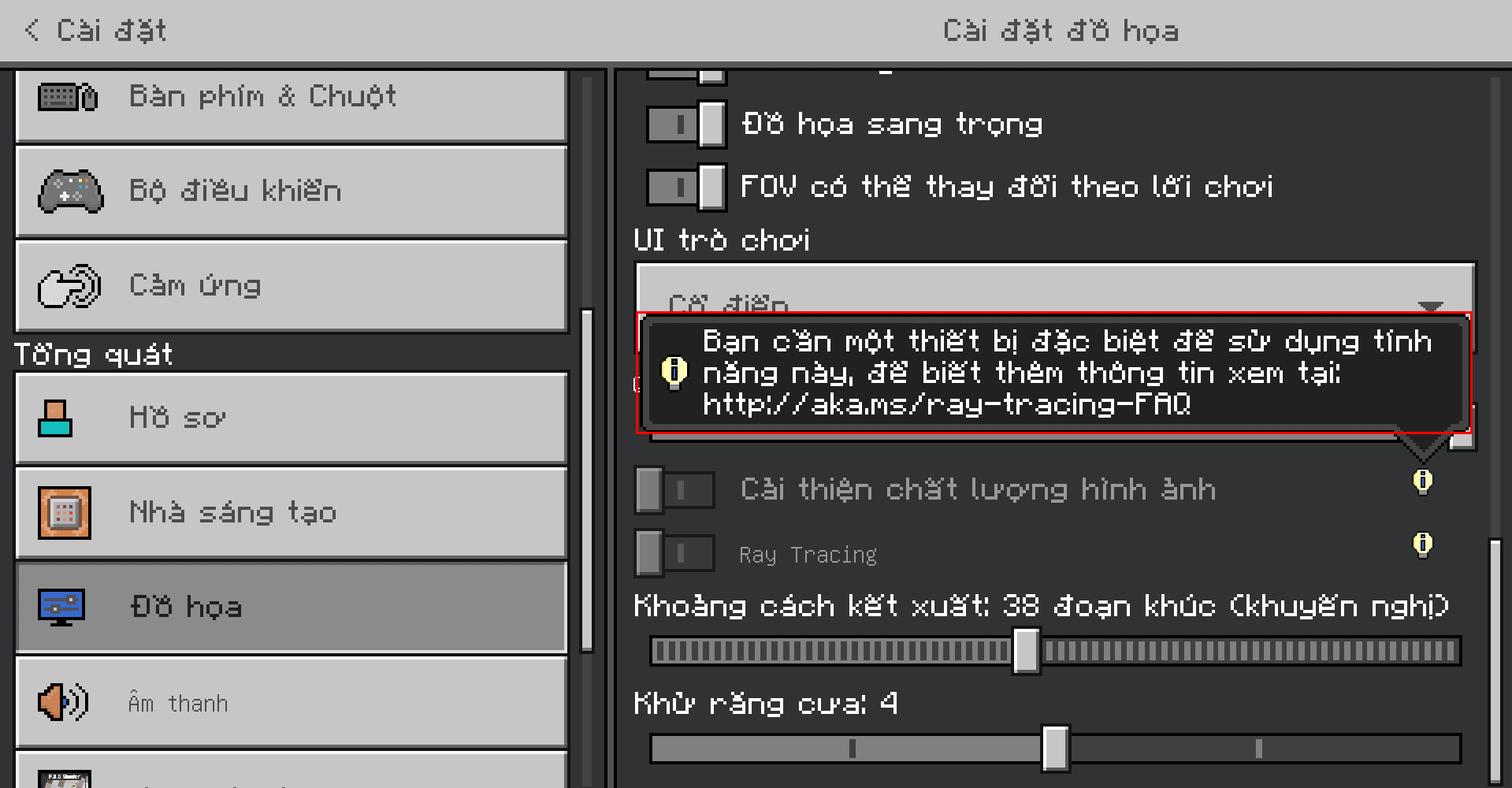
Video Settings screen, with RTX unsupported warning messages translated
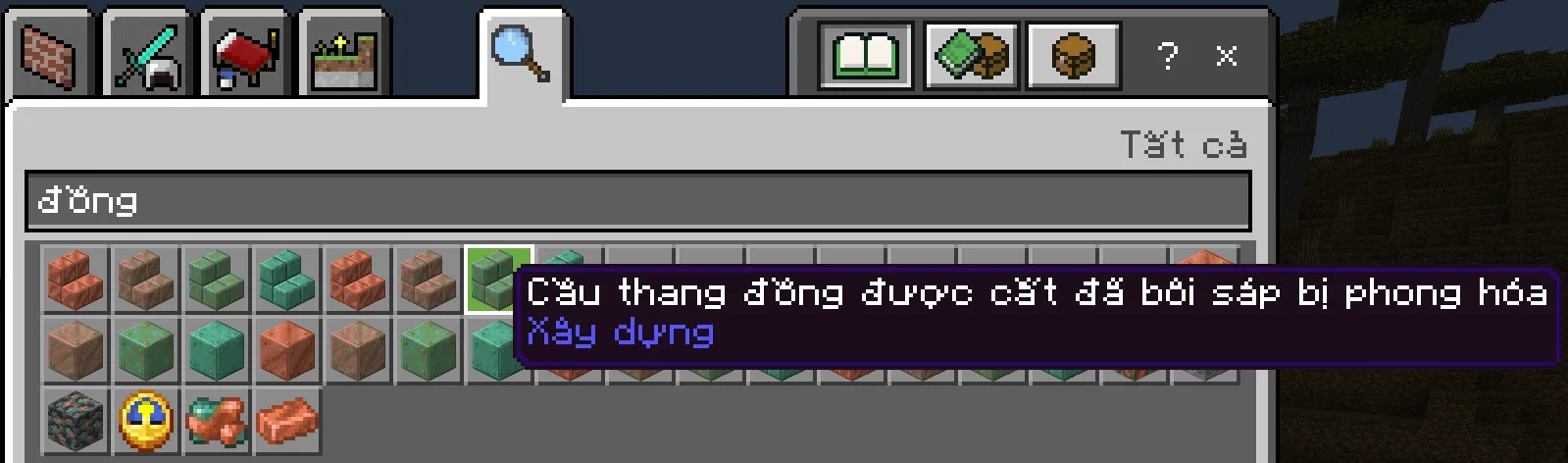
Longest item name in this pack, Waxed Weathered Cut Copper Stairs

Chat screen, with wrong command syntax and executed command messages

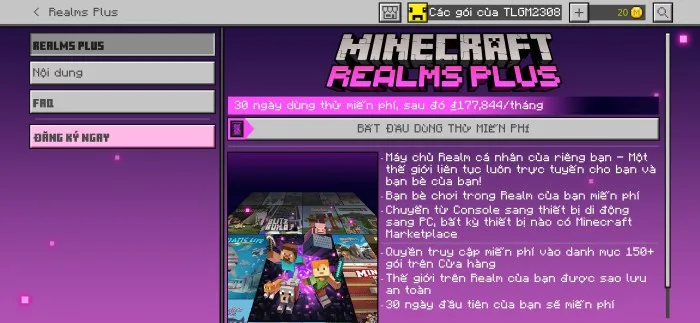
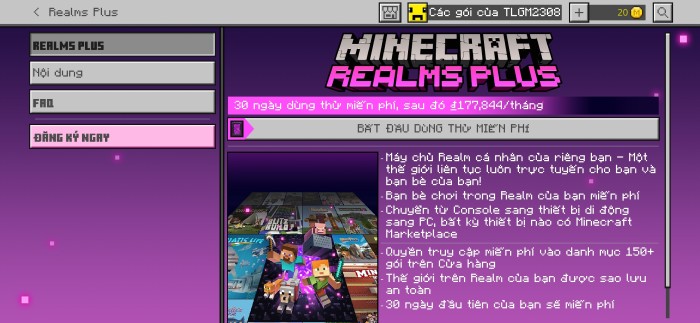
The Ty-el’s Vietnamese Language Pack in Realms Plus – Realms Plus screen
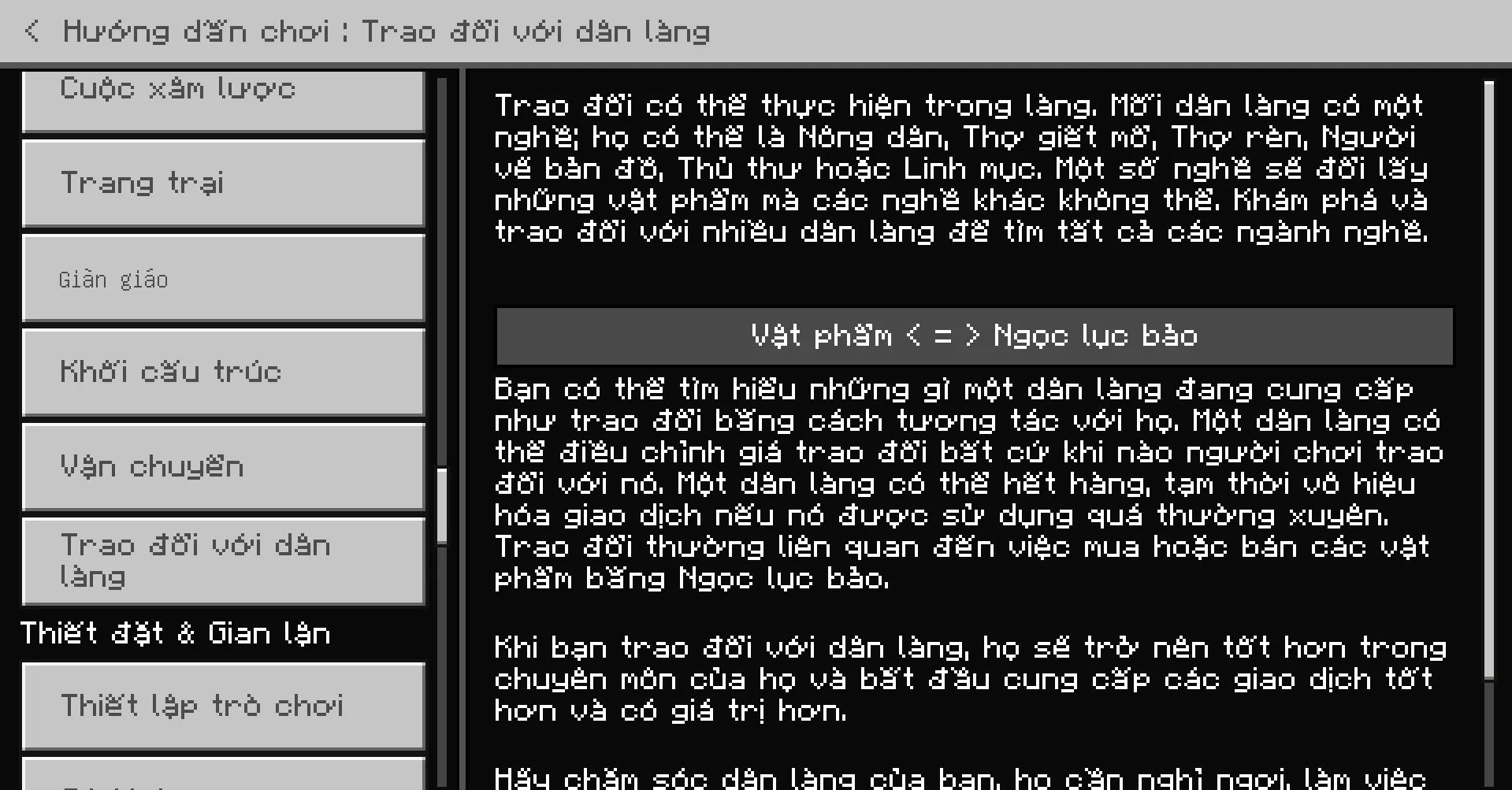
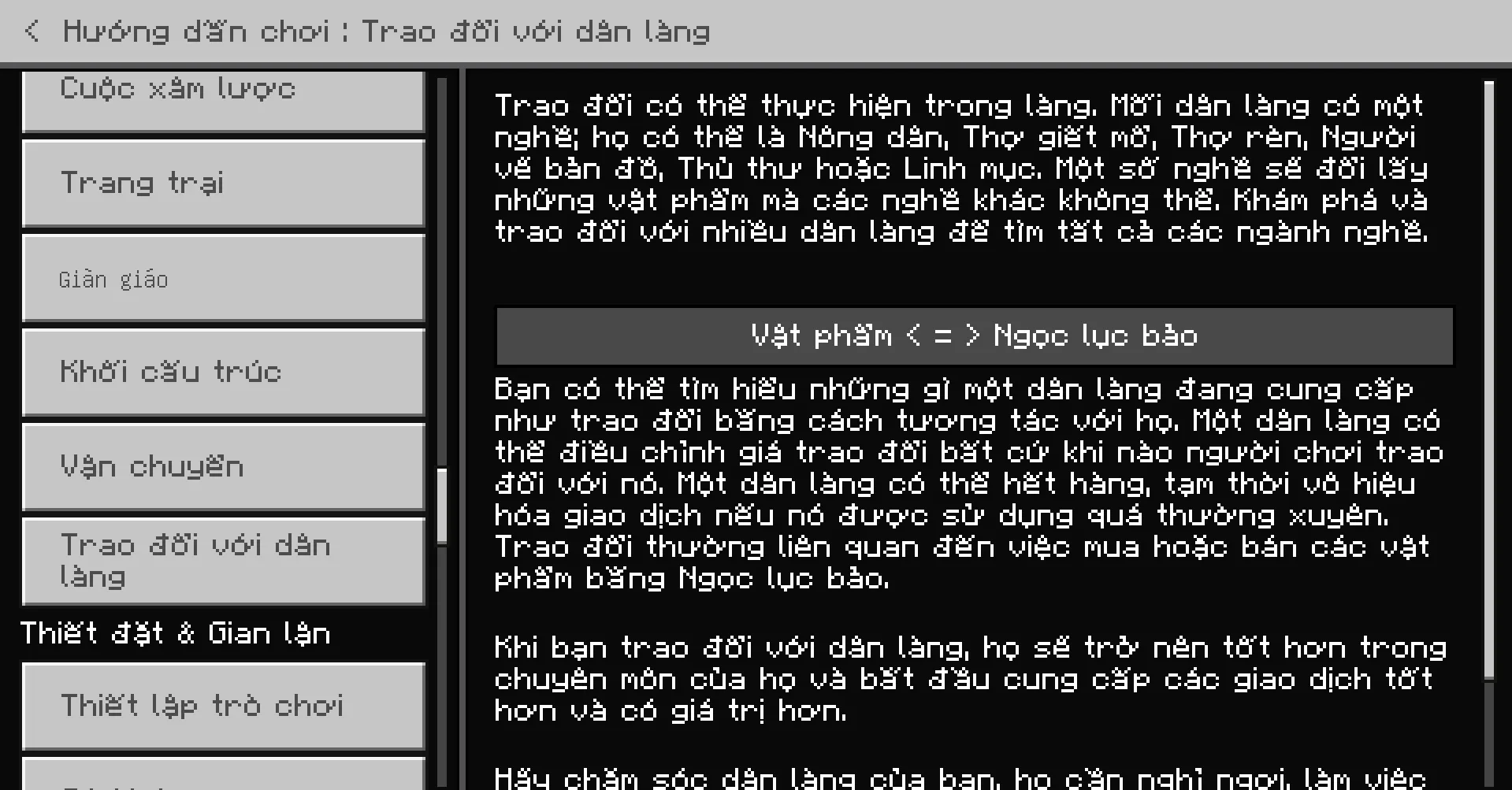
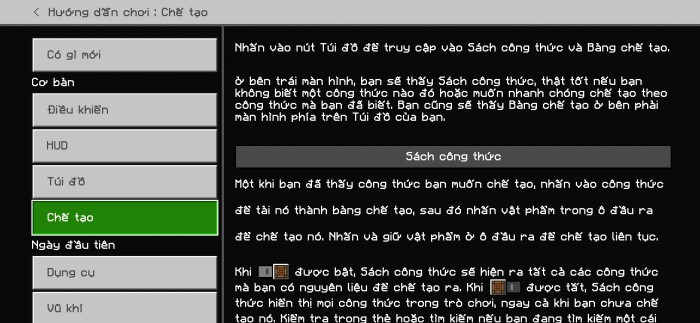
Fully translated How to Play sections
Villager Trading

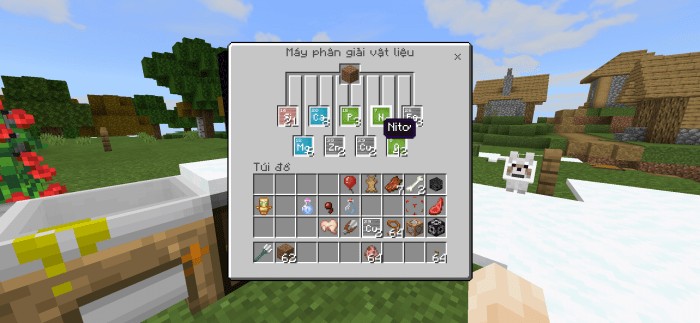
Supports Chemistry Mode
Material Reducer screen with Nitrogen name on screen
And much more in The Ty-el’s Vietnamese Language Pack!!
Some things thhat Can Not translate:
- Achievements (because it saves online in-game so i can’t translate it)
- Marketplace Contents
- Realms terms, EULA, purchase info
- Credits, Ending Messages
- Addons & custom translation key in different resource packs (that’s apparently)
Specital name can not change bcz we have to follow the Minecraft Translating Rules such as: Creeper, Redstone, Realm(s), Ghast, Piglin… will not translate, and Minecraft Java Translation Project, but with some exceptions (like Axolotl, Chain (block name), etc.).
The Ty-el’s Vietnamese Language Pack have 4 variants of font type
4 subpacks you can edit it in pack settings.
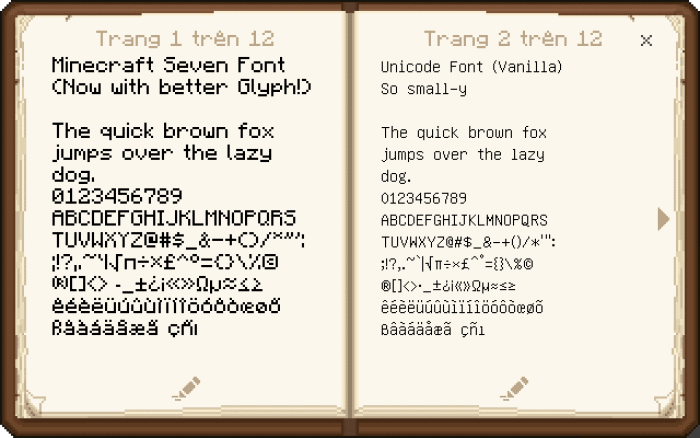
- Minecraft Seven Font (left page): remade from Minecraft Font Pack by @fromgate, keep your Minecraft experiences nostalgic with some small changes.
- Unicode Font (right page)
- Minecraft Seven (Smooth version)
- None (for custom font pack uses)
How to change font
Restart game to apply!
Step 1: Press Pack Settings, click ⚙ button next to the Deactivate button
Step 2: Change pack setting by swiping the slider
Step 3: Exit Settings and Restart game!

👉 If you like Minecraft Texture, you can also check other ones in mcpeaddons:
- Translations for Minecraft
- Java Aspects Texture Pack for Minecraft
- Vanilla Deluxe Texture: Java UI + Mixed UI + PvP UI
COMPATIBLE WITH VDX UI!
The Ty-el’s Vietnamese Language Pack now supports VDX UI (VDX Java UI) by @CrisXolt with a downloadable patch pack!
Make sure you placed this patch pack higher than the original Ty-el Vietnamese pack, it can be like this:

Note from Creator:
- You are allowed to use and edit The Ty-el’s Vietnamese Language Pack, but use in your modified APK/APPX/Custom,… are prohibited (include reuploads contains my language file)
- For content creators on Social channel, if you make contents about this pack, make sure you credit me in your description and ONLY USE ORIGINAL LINK FOR DOWNLOAD LINK, DIRECT DOWNLOAD LINKS OR 3RD PARTY APPS ARE HIGHLY PROHIBITED!!
- The Ty-el’s Vietnamese Language PacK currently supports on both Official and Beta version of Minecraft 1.17.30 and higher. (Subject to change)
- Vanilla Experiments translations are not final and can be changed.
- Original translations and texts from Microsoft and Mojang, AB. All rights reserved!
Changelog
| The Ty-el’s Vietnamese Language Pack v1.5.9 – Added: Minecraft Beta/Preview up to v1.19.0.24/25 translations – Removed: Copper Horn-related translations (but added the Warden and more “Wild Update” translations) – Changed “FOV” translation – VDX Patch pack now supports the latest version, v1.2.0 – Submissions Update: small fixes and changes |
Downloads

Tyel Vietnamese v1.5.9.mcpack
Tyel Vietnamese v1.5.9.zip
Tyel_Vietnamese_VDX_UI_Patch_v1.2.0.mcpack
- Edition: Minecraft Bedrock
- File type: .mcpack
- How to install: Download the .mcpack. → Open it — Minecraft imports it under Resource Packs. → Activate it in Global Resources, or for one world under Resource Packs → Available.
- Where to get it: Opens on the file's original source — not every file is mirrored on our own servers.
Install steps are the general flow for this file type — How to install Minecraft Bedrock texture packs walks through it step by step.
How to Install The Ty-el's Vietnamese Language Pack v1.5.9 is a free Minecraft Bedrock texture pack. Download it and open it directly in the game.