Best Minecraft Bedrock addons & mods (2026): Top 20
Twenty of the most-downloaded Bedrock addons we host, each written up in a short paragraph: what it adds, who it is for, which game versions it lists and how big the file is. Every one downloads straight in the MC Bedrock Mods app and links to its own page on this site.
In short: the list follows the Popular order of our Bedrock addons page (the download counter of the source site, not ours) and only includes addons whose file we host, opened and found complete. Every entry shows the game versions listed on its page and the date we last checked its download link. Importing an addon does not switch it on: activate both the behavior and resource pack in your world, and turn on Beta APIs for scripted ones (at least three of the twenty need it).
How we picked these 20
We started from the Bedrock addons page of our catalogue. Its default order, “Popular”, puts addons that have a working download and a picture first and then sorts them by the download counter of the site each addon comes from. For all twenty here that site is CurseForge. The counter is the source’s, not ours, so we do not print it, and it measures past downloads, not quality. On 6 October 2026 we went down that list item by item, and an addon made the cut only if it passed every check below.
- Bedrock addons only. Every entry is a Bedrock Edition addon built for a current game version, 1.21.100 or newer. There are no Java .jar mods on this list and no packs for long-gone versions.
- It downloads in the app. The file is kept on our side, so the download button gives you the file itself instead of sending you to another website. Some very popular addons are not here because they open on the author’s own page.
- We opened the file. Each pack was unzipped and its manifest read, and the page says “complete pack”: everything it depends on is inside the file.
- The download link worked at its last check, and every entry prints its own check date, from 18 June to 5 August 2026. The game versions are the ones the author or source site lists for the file.
- A mix of types. We kept a spread of mobs, tools, furniture, interface and quality-of-life packs, and no more than three visual packs.
For scale: on 5 October 2026 our Bedrock addons page showed 23,653 of 26,653 addons downloading straight in the app, and we had opened 21,804 of those files and found a complete pack inside. The twenty below come from that group. Where an addon needs extra setup (an experiment toggle, a second pack), we say so in its paragraph.
The 20 at a glance
Same twenty addons in one table: type, game versions, file size and the date of our last download-link check. Tap a name to jump to its write-up.
| # | Addon | Type | Minecraft versions | Size | Link checked |
|---|---|---|---|---|---|
| 1 | SERP Pokédrock | Mobs & creatures | 26.0, 26.10, 26.11 | 9.9 MB | 5 Aug 2026 |
| 2 | Raiyon's Java Combat | Combat | 1.21.114, 1.21.120, 1.21.122 | 159 KB | 3 Jul 2026 |
| 3 | More Body Actions + Pickup & Carry | Quality of life | 26.50, 26.40, 26.30 | 856 KB | 3 Jul 2026 |
| 4 | System Dynamic Light | Lighting | 1.21.132, 26.0.02, 26.0 | 240 KB | 3 Jul 2026 |
| 5 | Multiplayer Waypoint System | Quality of life | 26.50, 26.40, 26.30 | 429 KB | 3 Jul 2026 |
| 6 | VDX: Java/Desktop UI | Interface pack | 26.30 (newest of 7 builds, back to 1.21.70) | 4.5 MB | 5 Aug 2026 |
| 7 | Modern Furniture | Furniture & decor | 1.21.122, 1.21.123, 1.21.124 | 5.0 MB | 30 Jun 2026 |
| 8 | Farmer's Delight: Bedrock | Farming & food | 26.0.02, 26.0, 26.3 | 3.2 MB | 30 Jun 2026 |
| 9 | More Tools Addon | Items & tools | 1.21.100 to 26.30 (plus a 1.21.81 build) | 2.0 MB | 5 Aug 2026 |
| 10 | Raiyon's Item Physics | Realism | 1.21.130, 1.21.131, 1.21.132 | 112 KB | 30 Jun 2026 |
| 11 | True Backpack | Storage | 26.10, 1.21.120, 1.21.122 | 387 KB | 30 Jun 2026 |
| 12 | Raiyon's More Shields | Combat | 26.0.02, 26.0, 26.3 | 869 KB | 30 Jun 2026 |
| 13 | Definitive Tree Capitator | Quality of life | 1.21.132, 26.0.02, 26.0 | 2.6 MB | 30 Jun 2026 |
| 14 | Hammer Time | Tools & weapons | 1.21.132, 26.0.02, 26.0 | 403 KB | 30 Jun 2026 |
| 15 | GUN + | Weapons | 26.50 (plus a 26.30 to 26.40 build) | 709 KB | 18 Jun 2026 |
| 16 | Bedrock Reimagined | Overhaul | 26.40 (plus a 26.20 to 26.30 build) | 57.9 MB | 3 Aug 2026 |
| 17 | DoubleHands | Quality of life | 26.0.02, 26.0, 26.3 | 10.1 MB | 18 Jun 2026 |
| 18 | System Wyverns | Mobs & creatures | 1.21.122, 1.21.121, 1.21.123 | 852 KB | 30 Jun 2026 |
| 19 | Java Aspects | Visual parity | 1.21.132 (plus a 1.21.40 to 1.21.41 build) | 9.1 MB | 3 Aug 2026 |
| 20 | SecurityCraft (Bedrock port) | Security & redstone | 26.3, 26.10, 26.11 | 11.8 MB | 18 Jun 2026 |
The top 20 Bedrock addons, one by one
1SERP Pokédrock
Mobs & creaturesMinecraft 26.0, 26.10, 26.119.9 MBLink checked 5 Aug 2026by ZacekElSerpentin on CurseForge
Pokédrock turns a survival world into a creature-collecting game. Pokémon-style mobs appear in the wild, you can fight them with a built-in battle system, use mounts, and watch some of them evolve. It is the most involved mob addon on this list, so it suits players who want a long-term goal rather than a quick gimmick, and friends who like sharing one world. The card lists Minecraft 26.0, 26.10 and 26.11, and the download is 9.9 MB. The author splits the visuals into extra resource packs, so import everything in the file and switch every pack on in your world.
Open in MC Bedrock Mods2Raiyon's Java Combat
CombatMinecraft 1.21.114, 1.21.120, 1.21.122159 KBLink checked 3 Jul 2026by lordraiyon69 on CurseForge
If Bedrock fights feel button-mashy compared with Java, this is the fix. It adds the Java attack cooldown with a small bar under the crosshair, so a swing only does full damage once the bar has refilled, and a full swing with a sword sweeps nearby mobs. Axes hit harder than swords but recover slower, shields stop shoving you back, and a raised shield now stops a charged mace hit. Damage values follow the Java rules, including Sharpness and Strength. It also works with tools from other addons. The download is tiny, 159 KB, and the card lists Minecraft 1.21.114, 1.21.120 and 1.21.122. If you run Actions & Stuff or a similar animation pack, put the cooldown pack below it in the list.
Open in MC Bedrock Mods3More Body Actions + Pickup & Carry
Quality of lifeMinecraft 26.50, 26.40, 26.30856 KBLink checked 3 Jul 2026by sirob on CurseForge
Two small movement addons bundled into one file. Your character can sit down, lie flat, crawl and scale walls, and can squeeze through a gap that is only one block tall. The second half lets you grab a mob, another player or a block and carry it around, which is great for pranks and for moving a pet across a base. It works in multiplayer. This one uses scripting, so open the world settings and switch on the Beta APIs experiment before you play, and keep both the behavior pack and the resource pack active. The file is 856 KB, and the card lists Minecraft 26.50, 26.40 and 26.30. Import the files into Minecraft and activate both packs.
Open in MC Bedrock Mods4System Dynamic Light
LightingMinecraft 1.21.132, 26.0.02, 26.0240 KBLink checked 3 Jul 2026by SystemTv on CurseForge
Cave exploring gets easier when your torch actually lights the room. This addon makes held light sources glow around you as you walk: torches, lanterns worn on the head, glowstone, magma and more, in the main hand or the offhand. Dropped light items keep glowing on the ground, and a configuration book lets you tune how it behaves. The author states that no experimental toggles are needed and that it is built to sit alongside other addons and work in multiplayer and on Realms. It is a good first addon because it changes one thing and does it well. The file is 240 KB, and the card lists Minecraft 1.21.132, 26.0.02 and 26.0.
Open in MC Bedrock Mods5Multiplayer Waypoint System
Quality of lifeMinecraft 26.50, 26.40, 26.30429 KBLink checked 3 Jul 2026by sirob on CurseForge
A shared teleport-and-bookmark system for worlds with friends. Each player can save a spot as a waypoint, make it public, and jump to it later, with a favourites list so the useful ones stay on top. The listing says a player can keep up to 999 waypoints, and there is no cap on how many people can be online. Teleports come with a short camera effect, and it is meant to run next to other addons. It relies on scripting, so turn on the Beta APIs experiment in the world settings and keep both packs active, and make sure a hosted server allows scripts. The download is 429 KB, and the card lists Minecraft 26.50, 26.40 and 26.30.
Open in MC Bedrock Mods6VDX: Java/Desktop UI
Interface packMinecraft 26.30 (newest of 7 builds, back to 1.21.70)4.5 MBLink checked 5 Aug 2026by CrisXolt on CurseForge
A resource pack that redraws Bedrock menus and inventory screens in the Java-style layout, so crafting and chests look like the desktop version. Because Bedrock keeps replacing old interface screens, the author publishes a separate build for each game version, from 1.21.70 up to 26.30 on our page. Pick the build that matches your game version. One warning from the author matters on phones: switch Minecraft's storage setting to External before you import, otherwise your save data can be at risk if a future update breaks the modified screens. The file is 4.5 MB. After importing, activate the pack under Global Resources.
Open in MC Bedrock Mods7Modern Furniture
Furniture & decorMinecraft 1.21.122, 1.21.123, 1.21.1245.0 MBLink checked 30 Jun 2026by trotamundos872 on CurseForge
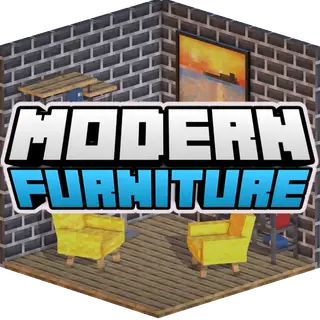
Builders who want a convincing apartment, office or city street will like this one. It adds well over 750 furniture and decor blocks, sorted into craftable category boxes, for example sofas, armchairs and construction pieces, so you pick a box first and then the exact piece. The style is clean and contemporary rather than medieval, which makes it a natural pair with a modern city map. It is about what you can put in a room rather than new survival rules. The file is 5.0 MB, and the card lists Minecraft 1.21.122, 1.21.123 and 1.21.124. Enable the pack in the world where you want to build.
Open in MC Bedrock Mods8Farmer's Delight: Bedrock
Farming & foodMinecraft 26.0.02, 26.0, 26.33.2 MBLink checked 30 Jun 2026by Pupy200mine on CurseForge
This is an unofficial Bedrock take on the popular Java cooking-and-farming mod. The idea is to give crops, kitchen work and meals more depth than vanilla bread and steak, so a long survival world gets a food loop worth setting up. It is a fan port, so expect the spirit of the Java mod rather than a one-to-one copy, and look at the screenshots on the card before you commit. It suits players who enjoy a base with a farm and a kitchen as much as a mine. The pack is 3.2 MB, and the card lists Minecraft 26.0.02, 26.0 and 26.3. Activate both the behavior and the resource pack.
Open in MC Bedrock Mods9More Tools Addon
Items & toolsMinecraft 1.21.100 to 26.30 (plus a 1.21.81 build)2.0 MBLink checked 5 Aug 2026by SorYPMod on CurseForge
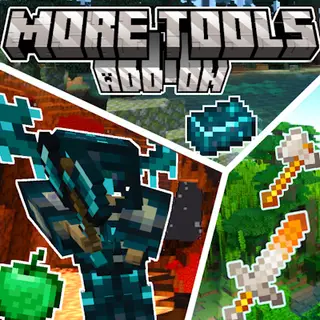
A big loot-table expansion in a vanilla art style. The author lists more than 800 extra tools and items and over 20 new blocks, drawn to look like they belong in the base game, and it is made to work in ordinary survival without experimental toggles. It is the pick for players who like collecting gear. One honest caveat from the author: a recent update moved items off an older feature and is still being finished, so some abilities, effects and durability are not all working yet, and the author recommends backing up your worlds before updating. The file is 2.0 MB. The newest build covers Minecraft 1.21.100 to 26.30, and a separate build exists for 1.21.81.
Open in MC Bedrock Mods10Raiyon's Item Physics
RealismMinecraft 1.21.130, 1.21.131, 1.21.132112 KBLink checked 30 Jun 2026by lordraiyon69 on CurseForge
Dropped items stop hovering and spinning and instead lie on the ground like real objects. You pick one up by hitting it or holding the use button, and sneaking collects the ones around you. Items keep their normal rules, so netherite does not burn in lava, things float in water, and a renamed item shows its name above it. Despawn time stays at the vanilla five minutes, except for named items and Nether Stars. The author says it does not disable achievements. The download is only 112 KB, and the card lists Minecraft 1.21.130, 1.21.131 and 1.21.132, which makes it an easy addon to try next to others.
Open in MC Bedrock Mods11True Backpack
StorageMinecraft 26.10, 1.21.120, 1.21.122387 KBLink checked 30 Jun 2026by TrueCowboy on CurseForge
Adds wearable backpacks with different amounts of storage, plus upgrades that change how they behave. The Soul Bond upgrade keeps the backpack with you if you die, and the latest version brings six Christmas-themed designs and nine wolf variants. It also works with achievements and custom skins, and the author says it is built to coexist with other addons. For long survival runs this is the quiet one that changes daily life, because carrying capacity stops being the bottleneck on a mining trip. The file is 387 KB, and the card lists Minecraft 26.10, 1.21.120 and 1.21.122. If you like it, the same author has a Multi Backpack variant.
Open in MC Bedrock Mods12Raiyon's More Shields
CombatMinecraft 26.0.02, 26.0, 26.3869 KBLink checked 30 Jun 2026by lordraiyon69 on CurseForge
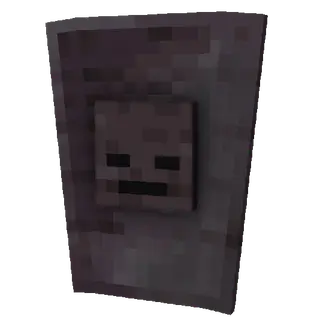
The vanilla shield has one look and one job. This pack adds sixteen new shields that are all functional, so you can carry a design you like instead of the same plain board, and each one blocks like the original. It is a cosmetic-leaning upgrade for survival, PvP servers and adventure maps where you want your loadout to say something. Browse the pictures on the card to see the designs before you download. The file is 869 KB, and the card lists Minecraft 26.0.02, 26.0 and 26.3. Switch the packs on in your world settings before you load in. Because it only adds shields, it is a low-risk first addon to try.
Open in MC Bedrock Mods13Definitive Tree Capitator
Quality of lifeMinecraft 1.21.132, 26.0.02, 26.02.6 MBLink checked 30 Jun 2026by SystemTv on CurseForge
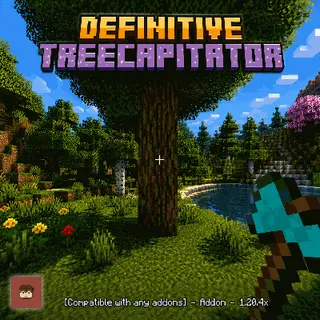
Chop the bottom log and the whole tree comes down. It is a small change that saves a lot of clicking once you start a house or a farm that eats wood. The author says it does not use the player definition file that many addons rely on, which is the reason it tends to coexist with other packs without conflicts, and that matters if your list of addons is already long. It is best for builders and survival players who want less grind, and it does not add new items to learn. The file is 2.6 MB, and the card lists Minecraft 1.21.132, 26.0.02 and 26.0. Activate both packs in the world you play.
Open in MC Bedrock Mods14Hammer Time
Tools & weaponsMinecraft 1.21.132, 26.0.02, 26.0403 KBLink checked 30 Jun 2026by SystemTv on CurseForge
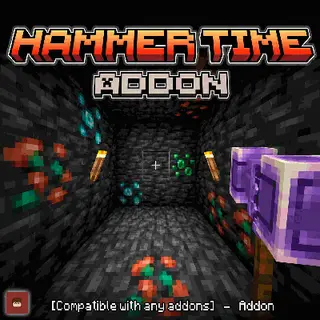
A Bedrock take on a Java mod with the same title, built around tools that work on an area. Hammers dig three-by-three, tunnel or vein mine, great swords knock enemies back and cleave groups, great axes fell trees fast, sickles clear leaves and harvest crops, and great shovels move dirt in bulk. It is aimed at survival players who are tired of repetitive digging. The author says it needs no experimental features, plays with other addons and on Realms, and lets each player set their own options. The file is 403 KB, and the card lists Minecraft 1.21.132, 26.0.02 and 26.0. Activate the packs in your world.
Open in MC Bedrock Mods15GUN +
WeaponsMinecraft 26.50 (plus a 26.30 to 26.40 build)709 KBLink checked 18 Jun 2026by BedrockAddon on CurseForge
A lightweight firearms pack that centres on military-style weapons, and the author says a few custom guns may follow later. It is a good fit for shooter-style survival, zombie maps and friendly PvP on a private world, and at 709 KB it is light on a phone. Our page shows two builds, one for 26.50 and one covering 26.30 to 26.40, so pick the one that matches the version in your game menu. Keep an eye on your active packs, since stacking several weapon addons in one world makes it harder to tell which one a problem comes from. Both builds are small and import like any other addon.
Open in MC Bedrock Mods16Bedrock Reimagined
OverhaulMinecraft 26.40 (plus a 26.20 to 26.30 build)57.9 MBLink checked 3 Aug 2026by 5FrameStudios on CurseForge
The biggest download here, and the closest thing to a new game mode. It reworks progression around bosses, scattered structures, procedurally generated mineshafts, new hostile mobs, pets, a magic and mana system, and machines with pipes and quarries. A full resource pack adds reworked animations for mobs, new textures and support for Vibrant Visuals. Plan for a fresh world and some free storage, because it replaces a lot at once. The studio says a larger 1.1 update is coming to the in-game store first and will be free later. The file is 57.9 MB, and the newest build targets Minecraft 26.40, with a separate build for 26.20 to 26.30. The author warns that it needs strong hardware and stutters on most phones, so expect lag on a budget device. Switch on both packs.
Open in MC Bedrock Mods17DoubleHands
Quality of lifeMinecraft 26.0.02, 26.0, 26.310.1 MBLink checked 18 Jun 2026by areedelahi on CurseForge
Bedrock has no real offhand slot, and this addon builds one. You hold an item in the left hand and use it like on Java, so a torch can sit next to your pickaxe, or you can place blocks while a tool stays equipped. The author says it works on Realms, dedicated servers and single-player worlds, each with its own way to activate it, and it brings basic dynamic lighting for glowing items. Read the notes on the card for the settings it asks for, because it needs a few world options turned on. The file is 10.1 MB, and the card lists Minecraft 26.0.02, 26.0 and 26.3. Follow the activation steps for your world type.
Open in MC Bedrock Mods18System Wyverns
Mobs & creaturesMinecraft 1.21.122, 1.21.121, 1.21.123852 KBLink checked 30 Jun 2026by SystemTv on CurseForge
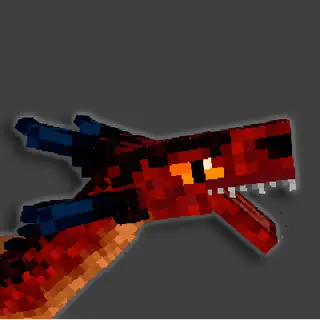
Wyverns arrive as hostile fliers in the overworld, each with three kinds of attack, and the baby ones can be tamed, so the pack gives you both a new danger and a long-term companion. It fits survival worlds that need a fresh threat, and players who like raising a pet. The author states that no experimental features are required. You need two files for it to work properly, the behavior pack and the resource pack, so make sure both are imported and active, or the creatures will show up without their models. The download is 852 KB, and the card lists Minecraft 1.21.122, 1.21.121 and 1.21.123.
Open in MC Bedrock Mods19Java Aspects
Visual parityMinecraft 1.21.132 (plus a 1.21.40 to 1.21.41 build)9.1 MBLink checked 3 Aug 2026by AgentMindStorm on CurseForge
A parity pack that nudges Bedrock toward the look and feel of Java. It changes water colours, explosion particles, block sounds and mob animations, and gives you a choice between modern default textures and a classic programmer-art style. If you play both editions and keep noticing small differences, this is the one that smooths them out. It is a resource pack, so it only touches visuals and sound and is easy to turn off. The classic option needs an extra step with the game classic texture pack, which the author explains on the page. The file is 9.1 MB. The newest build targets Minecraft 1.21.132, and a separate build covers 1.21.40 to 1.21.41. Activate it under Global Resources or in a single world.
Open in MC Bedrock Mods20SecurityCraft (Bedrock port)
Security & redstoneMinecraft 26.3, 26.10, 26.1111.8 MBLink checked 18 Jun 2026by RedTNT_ on CurseForge
An unofficial Bedrock version of a well-known Java security mod, made for shared servers and survival bases. Its main tool, the Universal Block Reinforcer, upgrades ordinary blocks into reinforced ones in three levels. Reinforced blocks shrug off explosions, and only their owner can break them, and the top level is meant to be effectively unbreakable at a steep crafting cost. Best for multiplayer groups that want to protect a base against griefers. It needs the Beta APIs experiment switched on, and both the behavior and resource packs must be active. The file is 11.8 MB, and the card lists Minecraft 26.3, 26.10 and 26.11. Enable the experiment before you create the world.
Open in MC Bedrock Mods






Get these addons in one tap
Free on Google Play. Open an addon, tap Download, and let Minecraft import it for you.
How to install any of them
- Open the addon's page (or the same addon inside the app) and tap Download.
- Open the downloaded .mcpack or .mcaddon file. Minecraft imports it and shows a short confirmation.
- Create or edit a world, then under Behavior Packs and Resource Packs tap the pack and choose Activate. Switch on Beta APIs in Experiments if the addon uses scripts.
The full walkthrough, with the exact menus, is in how to install Bedrock addons. If something imported but does not show up, start with addon not showing up. If the game says another addon is required, read your addon needs another addon. Not sure where a file came from? Read where to download Bedrock addons safely.
Frequently asked questions
Why isn't my addon showing up after import?
Almost always the pack was imported but never activated. Open your world, tap Edit, go to Behavior Packs and then Resource Packs, and activate the pack under Available in both lists. If custom items or mobs still do nothing, the addon is scripted: turn on Beta APIs under Experiments. Also check that you imported both files when an addon ships a behavior pack and a resource pack. The addon not showing up guide walks through every cause in order, and this one covers addons that ask for a second pack.
Which Minecraft version do these addons work on?
Each entry shows the game versions listed on its page, from 1.21.100 up to 26.50. Where an author publishes a separate build per game version, the entry names the newest build and the range of the others. The tags come from the author or the source site, and we do not test every addon on every game version. Open Minecraft and look at the bottom-left corner of the main menu: v1.26.30 there is 26.30 in our lists. If a build does not match your game, update the game or pick the build for your version. The install guide has the rest.
Are these addons free?
Yes. Every addon on this list is a free download, with no account needed. Some authors also have a donation page, which is optional.
What is the best Minecraft Bedrock addon in 2026?
There is no single best one, so this list does not rank by quality: it follows the download counter of the source site. A better way to choose is by what you want to change. For a better cave, try System Dynamic Light. For Java-style fights, Raiyon’s Java Combat. For building a home, Modern Furniture. For a whole new survival loop, Bedrock Reimagined, if your phone can take a 57.9 MB pack. Each of them has its own paragraph above.
Are these addons safe to download?
Each file is a .mcpack or .mcaddon, which is data that Minecraft reads, not a program. We opened every file on this list and read its manifest. That check looks at the structure of the pack: it is not an antivirus scan and it does not run the addon in the game. Where to download Bedrock addons safely explains what to look for on any site.
Do they work on iOS, Windows and console?
They are made for Minecraft Bedrock Edition, and we only test the route on Android with our app. On Windows and iPhone you can download the file from the addon's page and open it in Minecraft in the same way. Consoles cannot import files from outside the in-game store, so these addons are not an option there. Java Edition does not use them at all: a .jar file is a Java mod. See our Bedrock install guide for the exact steps.