Texture Packs for Minecraft Bedrock
Browse 11,190 free texture packs for Minecraft Bedrock — popular picks include Spiked Bamboo (Bambu Runcing) | Trident Textures, Snapshot Ores, Enhanced Bows Textures.
Step by step: How to install Minecraft Bedrock texture packs
Updated daily
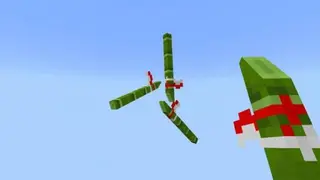
Spiked Bamboo (Bambu Runcing) | Trident Textures
Want to fight with a bamboo stick like monks and Shaolin ninjas do? Then use Spiked Bamboo (Bambu Runcing) | Trident textures to transform an ordinary trident into a bamboo staff in Minecraft. Two options are available to choose from: with spikes or without.
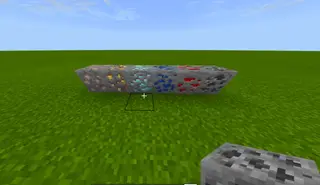
Snapshot Ores
In snapshot 20w07a in Minecraft Java, ore textures were changed according to the 1.17 Caves and Cliffs update. These textures will add them to Bedrock.
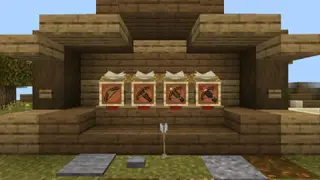
Enhanced Bows Textures
The author of Enhanced Bows textures believes that bows and crossbows in their current form are not quite suitable for combat in Minecraft PE, so they need improvement. Therefore, the author decided to add new models for ranged weapons in the block world to make them perfect for PvP battles with other users.
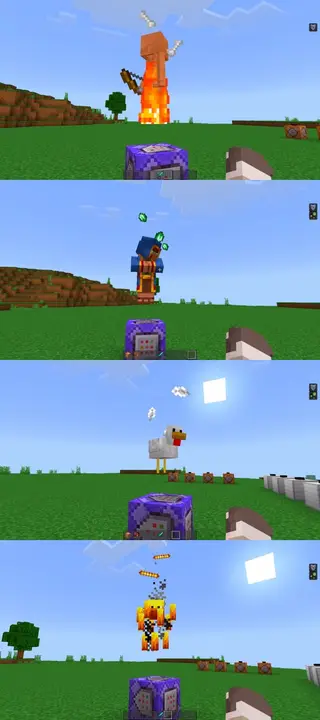
Visual Effects
This pack adds new particle effects when mobs attack in Minecraft PE (Bedrock). For example, feathers scatter when a chicken attacks.
3D Buckets
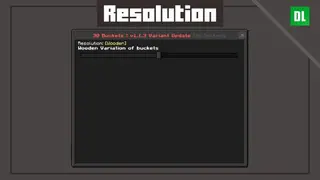
Everyone is tired of 2D textures in Minecraft. Developers could easily introduce higher quality item models, but for some reason they don't. However, 3D Buckets textures handle this perfectly. True, the changes only affect various types of buckets, but this small step into the future.
ItsDrCat's Texture Tweaks
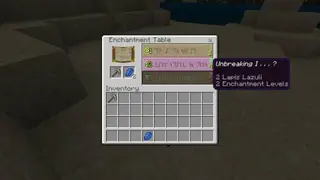
Some textures in Minecraft look, to say the least, not very good. Fortunately, we can easily fix this without waiting for solutions from the developers, using ItsDrCat's Texture Tweaks. The addon changes only some elements of the game: for example, various particles and interface. The updated interface.
MeowhenCraft Textures
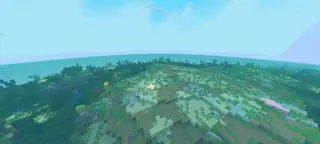
The author was inspired by various Minecraft trailers and wanted to create his own pack. The name is quite remarkable, but it explains the essence: the developer wanted to add a bit of happiness to the blocky universe, so he created MeowhenCraft textures. The add-on changes most elements in the game.
Improved Biome Water Colors Textures
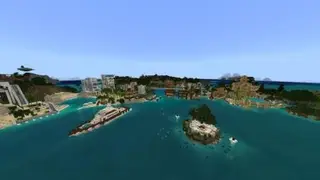
With improvements to the underwater world should come improved water colors in all biomes. Though Mojang didn't do this, addon developers created Improved Biome Water Colors textures to change the appearance of lakes, seas, and oceans in Minecraft. Water tones become much more realistic.

Kagune Textures
With Kagune textures, every player can get their own custom kagune appearance in Minecraft Pocket Edition. Simply put, these are hunting organs of special monsters from the anime "Tokyo Ghoul". This pack includes five of the most popular kagune types. They don't grant the player any special powers, but serve as regular cosmetics.
Chrome Universe Textures
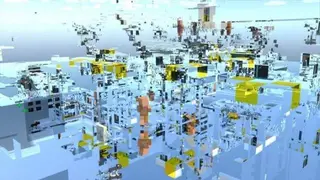
Imagine a completely mirrored world, but not like in a mirror realm: every block will turn into a perfect mirror. This is only possible with Chrome Universe textures, which change the entire Minecraft Pocket Edition world. Blocks in inventory look normal, but after installation they become chrome-plated. Simply
Joaquin's Remastered Textures
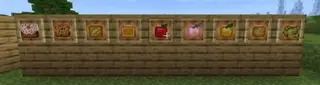
Joaquin's Remastered changes items, blocks, and more in Minecraft Bedrock according to the block world style. They look significantly better now. The author added high detail to most elements: food, equipment, blocks, and even snow particles.
Nekomaid Wither
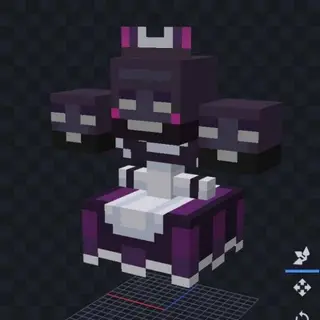
Simple Nekomaid Wither textures will update the appearance of the Wither in the game if you're tired of this model. The add-on doesn't change anything else in the game, but if you want to improve all elements individually, use this pack. Below you can see how the new Wither will look
Pinnacle Lib Textures
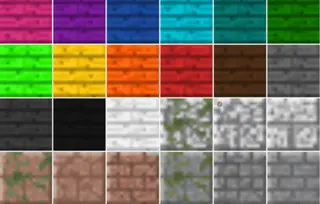
Pinnacle Lib textures are a dependency pack for Endurance Shaders. You could say the pack provides a new way to play! Add an updated and most importantly realistic audio pack to your world, and another cool pack called 'Smelter' (smelting furnace). The latter includes
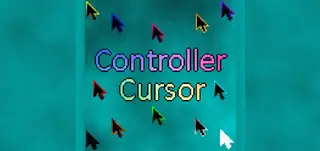
Colored Cursor
If you play Minecraft Bedrock on Windows 10 or gaming consoles, these textures are for you, as they allow you to change the cursor color.
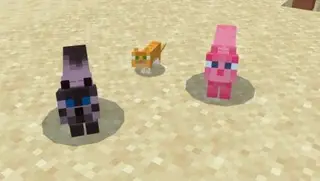
Nice Cats Textures
Cats are among the cutest creatures on earth, and in Minecraft Pocket Edition they compare only with pandas. With Nice Cats textures, cats will become even more beautiful and cute. Each cat - wild or tamed - will receive more color variants that will please the eyes of users. Who wouldn't want such
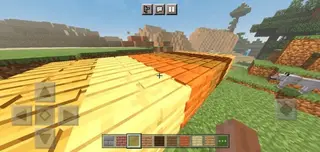
3D Blocks Resource Pack 1.17+
This resource pack makes graphics in Minecraft PE (Bedrock) more realistic, as some blocks will be in three-dimensional form.
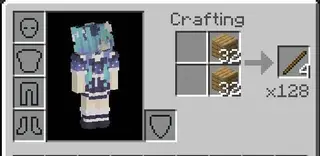
Total Item Will Be Crafting Textures
As many may have noticed, when crafting, the game always displays the number of items you can get from one craft. But when materials become more abundant, we need to know how many items we can create from existing resources. Total Item Will Be Crafting textures will help with this.
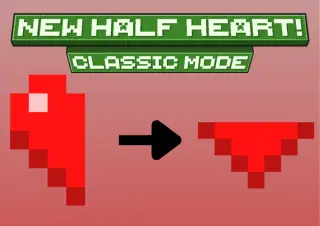
Half Heart (From Below) Texture Pack for MCPE 26.50
Replace Minecraft's default half-heart icons with a classic 'from below' style; supports all heart states.
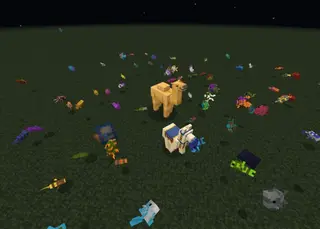
Glowing Mobs 1.20+
Hostile Overlay and Glow Mobs are textures for Minecraft PE (Bedrock) that add a glowing effect to all mobs in the game.
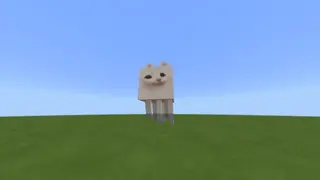
PopCat Ghast Textures
Hardly anyone will argue that ghasts are the cutest creatures in the blocky universe. Only cats can compare with them in cuteness, but most likely crafters will prefer ghosts. With PopCat Ghast textures you won't have to choose: cats and ghasts will be one
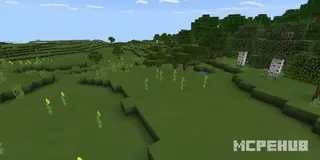
PlasticPixels Textures
PlasticPixels textures for Minecraft Bedrock are a pack with quite low resolution (16 x 16). Their first goal is to simplify the standard textures of Minecraft. It should be noted that currently only the beta version is available. In general, this pack is well suited for those players who
HD Controls Texture Pack
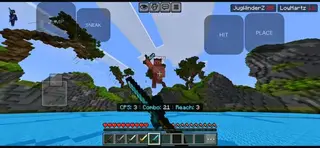
Make your Minecraft screen cleaner so nothing distracts you during gameplay. HD Controls textures completely redesign the appearance of touch control buttons, making them more neat and convenient. Instead of large standard buttons, transparent or minimalist options are used, which gives more screen space.
The Netherite King Textures
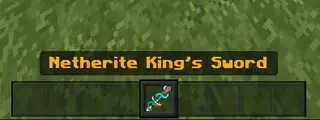
Upgrade netherite gear appearance with golden and diamond accents. Includes redesigned armor, tools, weapons, and updated item names for a more luxurious look.
H SHIELDS: MOBS
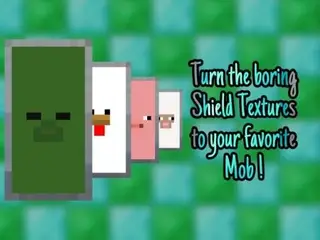
Shields in Minecraft look boring and dull, so the H SHIELDS: MOBS texture developers decided to give shields a unique design. This appearance not only entertains every user but also beautifies gameplay. The textures of the shield's outer part will be replaced with mob faces. Already available in 8 mob varieties.
Screen Effect Blood Textures
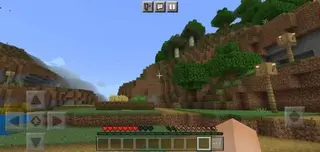
Many players when asked "What's missing from the game" can easily answer: blood. Agree that realism is achieved in different ways, but when taking any damage in real life, blood almost always appears. So why not create a similar function in MCPE? This is exactly why
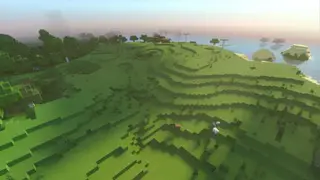
McRTX Tweaks Textures
A small texture pack McRTX Tweaks that brings minor changes through RTX technology, that is, ray tracing. At the same time, the design and graphics in the game will improve significantly and give new feelings to any user. Note that the addon will only work on.
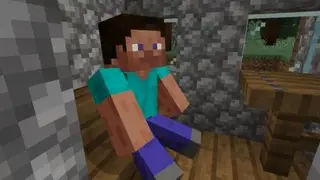
Sit Anywhere Textures
After exhausting cave exploration or tiring resource mining, you want to sit and rest. In MCPE this function isn't available, so players are either always on the move or sleeping. This addon changes that.
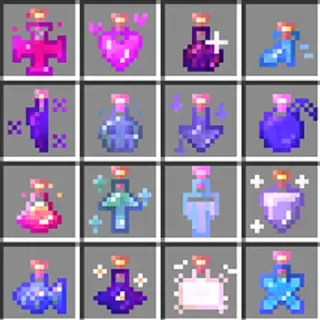
Astralite Potions
These textures will change the visual appearance of potions in Minecraft PE (Bedrock) and make them more magical and understandable, as their appearance will clearly show what effect each potion gives.
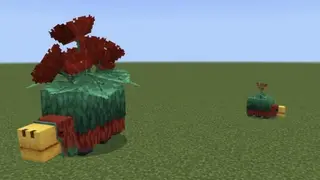
Flower on Sniffer 1.20+
Bulbasniffer is a resource pack for Minecraft PE (Bedrock) that adds unique and stylish textures for the Sniffer.
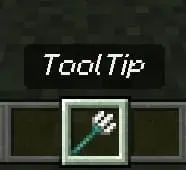
No Tooltip Background
Now in Minecraft Bedrock you can remove the background in item descriptions. To do this, you can install No Tooltip Background textures. The unnecessary black background will disappear and won't interfere with the player's view during adventures or even battles. Here's what an item description looks like without installing the add-on. After
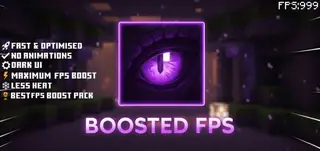
Boosted FPS Textures
When Minecraft starts lagging on a weak device, reducing visual load can help achieve more stable performance. The Boosted FPS texture pack reduces the number of particles, disables some animations, and adjusts fog settings while keeping the game's familiar look. You can choose
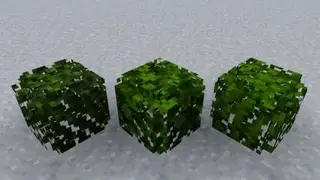
3D Leaves Model Textures
3D Leaves Model brings a new perspective to standard tree appearance in Minecraft. The addon changes tree leaves from flat leaves forming cubes to new, volumetric leaves. The game features three leaf block shapes. First variant is round form.
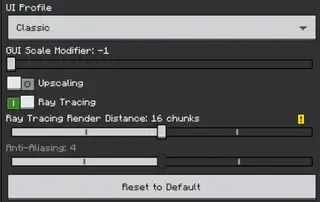
Bedrock Preview UI Textures
A small Bedrock Preview UI texture pack to change the interface appearance in Minecraft. The author suggests using this pack so that full game versions look the same as test versions. The addon settings are shown below, where you can change the style, features, and other...
GUI Pack for Minecraft Bedrock 26.50
Renueva la interfaz: cursor, barra de hambre, corazones, experiencia, brillo encantado y fuente; compatible con recursos globales de Minecraft.
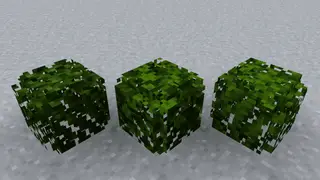
Textures for 3D Leaves
Textures for 3D Leaves
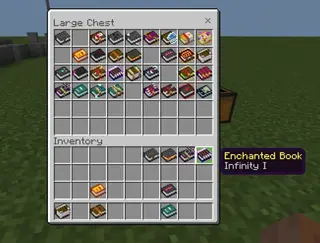
Enhanced Enchantment Books
Enchantment books in Minecraft PE (Bedrock) have identical textures by default, but this pack gives each book a unique color based on its enchantment.